
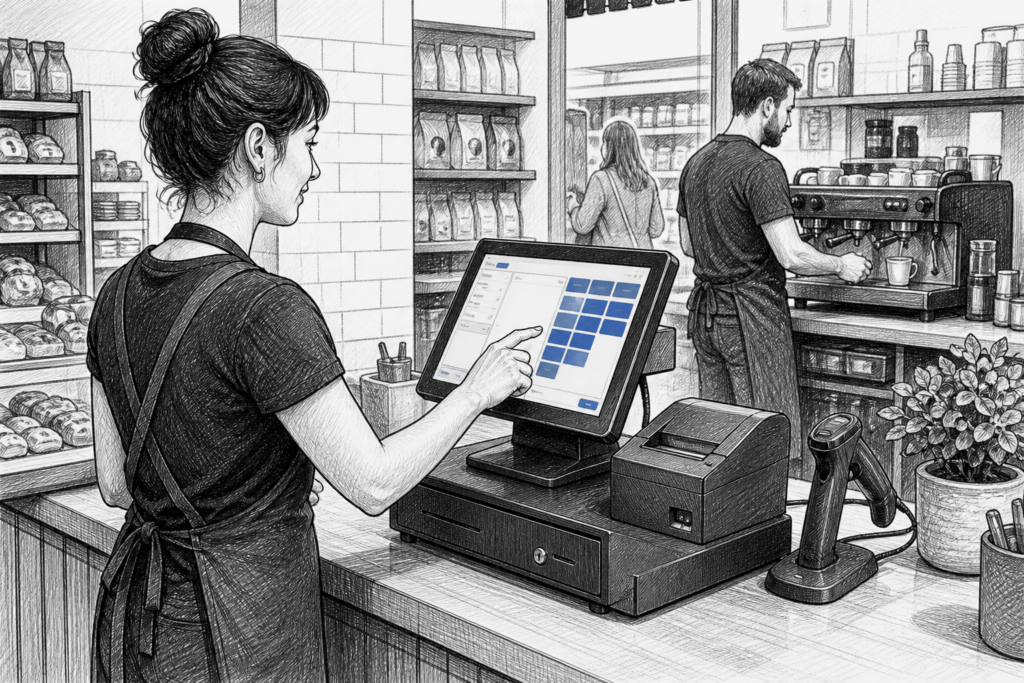
Windows POS terminals still have an important place in UK point of sale. For many retailers, cafés, restaurants and multi-site operators, they offer a familiar software environment, broad hardware compatibility and a sensible route for upgrading ageing till systems without rebuilding everything from scratch.
That matters because a POS system is more than a screen on the counter. It is the working hub for sales, refunds, reporting, staff permissions, label printing, stock tasks and order handling. When the hardware is not suited to daily trading, the effects are felt quickly in queues, staff productivity and customer service.
Why some businesses still choose Windows POS
Windows POS terminals are often selected where a business already relies on established EPOS software or where the installation needs to fit into a wider IT environment. A purpose-built terminal can provide the commercial design and supportability that a standard office PC usually lacks, while still giving access to Windows-based applications.
For resellers and installers, that can make planning easier too. The hardware category is well understood, and many customers already know how a Windows interface works. That shortens training time and can reduce resistance when replacing an older system.
Common reasons to stay with Windows
- An existing EPOS package is already built around Windows.
- The business wants a familiar operating environment for staff.
- There is a need to connect to established peripherals and back-office tools.
- The operator wants a dedicated terminal rather than a consumer computer on the counter.
- Multiple branches need hardware that can be standardised across sites.
What makes a POS terminal different from a regular PC
A proper POS terminal is designed for use at the counter, not in a general office. That usually means a more practical footprint, touchscreen operation, better cable management and a form factor intended for repeated daily use in busy trading conditions. In retail and hospitality environments, those details are just as important as raw computing power.
Commercial terminals also tend to be easier to integrate into a complete point-of-sale setup. They can sit alongside receipt printers, customer-facing displays, barcode scanners and cash drawers without looking improvised. For many businesses, that makes the checkout area easier to use and easier to maintain.
On YCR Distribution’s approved store, the Windows POS terminals collection is a useful starting point for businesses comparing terminal formats and installation options.
Where Windows POS works well
In retail, Windows POS terminals are often used in convenience stores, gift shops, hardware outlets and specialist independents that need reliable checkout processing and reporting. They can also suit businesses that use barcode scanning, item look-up, promotions or stock-related workflows at the till.
In hospitality, a Windows terminal can be appropriate where the EPOS software supports table management, order routing, split bills or kitchen printing and the operator wants a conventional software environment. It is also a practical option for venues that need one platform across bar, counter and back-office functions.
For many businesses, the key benefit is consistency. If head office, branch managers and front-line staff all work from the same system family, training and support become simpler.
Features that matter in real trading conditions
When choosing a Windows POS terminal, it is worth focusing on features that affect day-to-day use rather than headline specifications alone. Businesses should think about where the terminal will sit, how staff will use it and whether the system can be supported over time.
Practical points to consider
- Touchscreen layout: Is the screen easy to use for quick sales and order entry?
- Counter footprint: Will the terminal fit comfortably with a printer, scanner and payment area?
- Peripheral support: Can it connect cleanly to the devices the business already uses?
- Cable management: Is the installation tidy enough for front-of-house use?
- Serviceability: Can the terminal be supported and maintained by a reseller or installer?
- Standardisation: Would the same hardware suit several branches or locations?
These are the factors that influence uptime, not just initial installation. A terminal that is easy to support can save time for both the business and the EPOS partner managing the account.
Why service and support should be part of the decision
Windows POS hardware is often chosen for its compatibility, but long-term support matters just as much. Businesses do not only need a terminal that works at installation; they need something that can be maintained, updated and replaced sensibly when the time comes.
This is where a distributor such as YCR Distribution can be valuable. As a UK POS distributor, YCR works with resellers, installers and end users to help match hardware to the software and workflow they already have. That support is particularly helpful when a business is replacing ageing equipment or planning a wider refresh across several sites.
For dealers and installers, being able to source appropriate hardware from a specialist UK supplier can also make project planning more straightforward. It helps keep installations aligned with the practical needs of each site instead of forcing every customer into the same generic hardware choice.
Planning a sensible upgrade path
For businesses moving away from a basic till or old desktop PC, a Windows POS terminal can be a measured step forward. It can modernise the counter without disrupting the software that staff already understand. That is often the most realistic route for independent retailers and hospitality operators that need reliability first and foremost.
The best approach is to match the terminal to the business model. A café may want a compact front-of-house terminal with quick order entry. A retail counter may prioritise scanning and fast transaction handling. A multi-site operator may focus on standardisation and simpler support across branches.
For more information about point-of-sale hardware and EPOS solutions, contact YCR Distribution on 01924 438238 or visit www.ycr.co.uk.
Choosing the right Windows POS terminal is ultimately about balancing software needs, counter space, serviceability and day-to-day trading demands. When those elements are considered together, Windows remains a strong and practical option for many UK point of sale installations.