
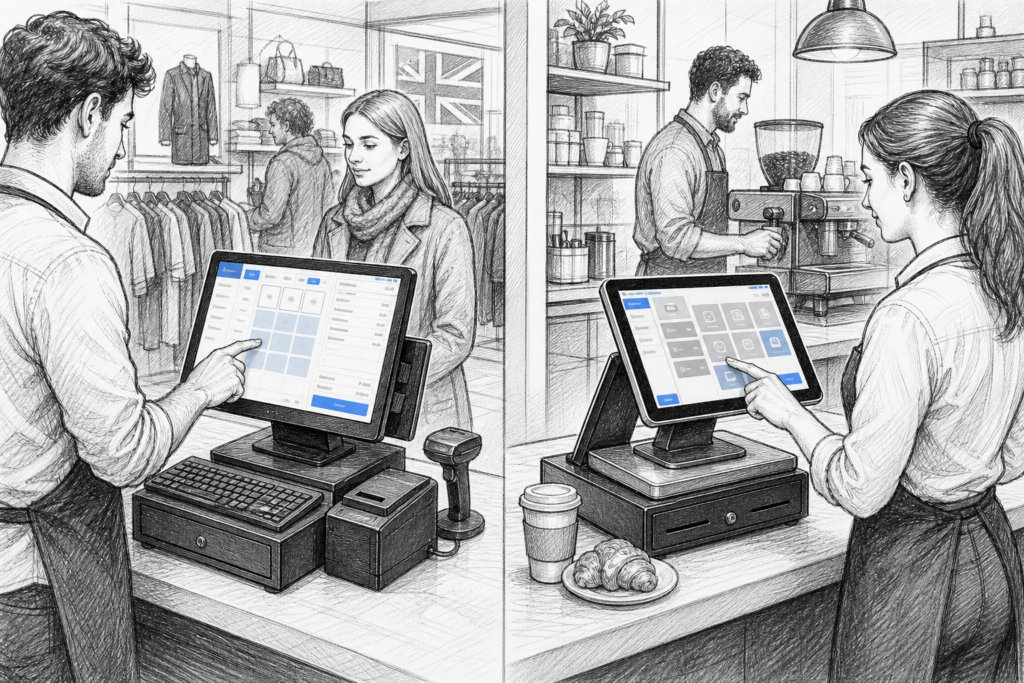
For many UK businesses, the choice between Windows POS and Android POS is no longer a technical detail reserved for installers. It affects checkout speed, staff training, hardware planning and how easily the system can be supported over time. Whether you are replacing ageing tills, opening a new site or advising customers as an EPOS reseller, it helps to understand where each platform fits best.
Why the platform choice matters
At a glance, both Windows POS and Android POS can support modern point-of-sale tasks such as sales entry, product lookup, order taking and payments. The difference is in how the system is deployed and maintained. A business with a single fixed checkout may have different needs from a busy café using mobile ordering, while a retailer with several branches may prioritise standardisation and remote support.
In the UK point-of-sale market, platform choice is often tied to the wider EPOS strategy. Some businesses want a familiar desktop-style environment. Others want a simpler, touchscreen-first setup that is easy to learn and quick to roll out across multiple counters or compact sites.
Windows POS: familiar and flexible
Windows POS is often chosen by businesses that want a traditional, software-led approach to EPOS. It is a familiar environment for many staff and managers, especially where branches already use Windows-based back-office tools or reporting systems. For dealers and installers, this can sometimes make integration planning more straightforward.
Windows-based terminals are commonly seen in retail EPOS installations where businesses want a more conventional workflow, more screen space, or a setup that mirrors the office software staff already know. In practical terms, that can reduce training time when moving from a basic till to a more capable POS system.
Windows POS may suit:
- Independent retailers moving from older till hardware
- Businesses with existing Windows software dependencies
- Sites that need a more familiar desktop-style interface
- Installations where the software stack is already standardised across multiple locations
That said, Windows POS is not automatically the right answer for every site. Some small hospitality venues and fast-moving retail environments prefer something lighter and more streamlined.
Android POS: simple, touchscreen-led and adaptable
Android POS has become increasingly common in hospitality EPOS and modern retail installations because it is typically designed around touch, speed and ease of use. Staff often find the interface intuitive, which can be valuable in cafés, quick-service restaurants, convenience stores and other environments where there is limited time for training.
Android POS systems are also often used where space is tight. Compact touchscreen terminals, mobile devices and kiosk-style hardware can help businesses modernise the front counter without introducing bulky equipment. For multi-site operators, Android can be attractive when the goal is to roll out a consistent interface across several locations.
Android POS may suit:
- Cafés, bars and smaller hospitality sites
- Retailers that want a fast, touchscreen-led checkout
- Businesses planning kiosk or mobile POS deployments
- Operators who want simpler day-to-day usage for staff
The key point is that Android is not just about being modern. It is often chosen because it can reduce friction at the point of sale, especially where staff need to serve customers quickly and accurately.
What UK businesses should consider before deciding
There is no universal winner between Windows and Android POS. The right choice depends on the business, the software involved and the support model behind the installation. A useful way to compare them is to think about operational needs rather than just the device itself.
1. Ease of training
If staff turnover is high or seasonal recruitment is common, a touchscreen-first Android setup may be easier to learn. If your team is already comfortable with desktop-style systems, Windows POS may feel more natural.
2. Application requirements
Some EPOS software is built with one platform in mind. Others are available across both. Before specifying hardware, it is worth checking the software requirements carefully so the system fits the actual business process rather than forcing a compromise later.
3. Hardware environment
Retail and hospitality hardware has to cope with long trading hours, spills, heavy use and limited downtime. Choosing commercial-grade POS hardware matters whichever platform you select. Consumer tablets or office computers may look suitable at first, but they are rarely ideal for demanding EPOS use.
4. Support and long-term maintenance
Businesses should think about updates, replacement hardware and troubleshooting. A platform that is easy to support can reduce disruption, especially for sites that trade through peak periods and cannot afford lengthy downtime at the till.
How YCR Distribution helps resellers and businesses
YCR Distribution works with EPOS resellers, dealers, installers and businesses across the UK, supplying point-of-sale hardware and technology for a wide range of retail and hospitality projects. When advising on Windows POS versus Android POS, the most useful approach is often to start with the customer’s workflow, software choice and support expectations, then match the hardware to that requirement.
That may mean supplying a touchscreen POS terminal, a compact Android device, a customer-facing display, or the wider hardware around the installation. For installers and resellers, having a distributor that understands the practicalities of POS systems UK can make planning smoother, especially when a project needs to be delivered without unnecessary delays or compatibility issues.
At www.ycr.co.uk, YCR’s role is to support the channel with suitable hardware and practical product knowledge, helping businesses and trade partners choose the right platform for the job.
Choosing the right path for your site
If you are advising a retailer, cafe, pub or multi-site operator, start with the day-to-day use case. Ask who will use the system, how quickly they need to serve customers, whether the business needs fixed or mobile terminals, and what software will sit at the centre of the installation. In many cases, that makes the decision between Windows POS and Android POS much clearer.
For a traditional retail counter with established back-office processes, Windows may still be the most practical option. For a hospitality venue focused on speed, simplicity and touchscreen usability, Android may be the better fit. The right answer is the one that supports the business efficiently now and can be maintained sensibly later.
For more information about point-of-sale hardware and EPOS solutions, contact YCR Distribution on 01924 438238 or visit www.ycr.co.uk.