
iMin modular Android touchscreen
Crane 1 Build self-service around your space
Bring self-ordering to the entrance, add a touchscreen to the counter or give customers a dedicated place to check in. Choose a screen, mount and accessories to fit the way your business serves customers.
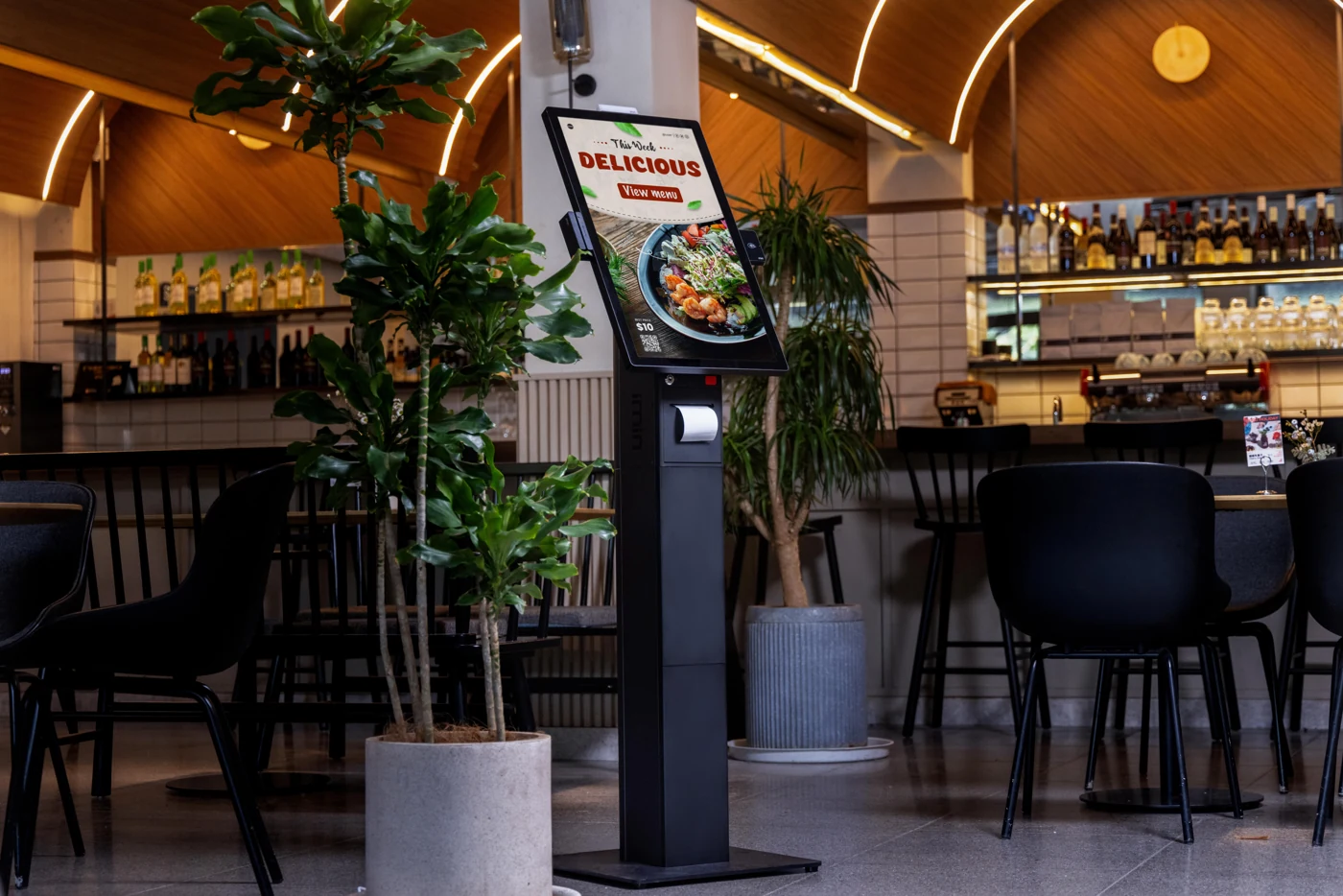
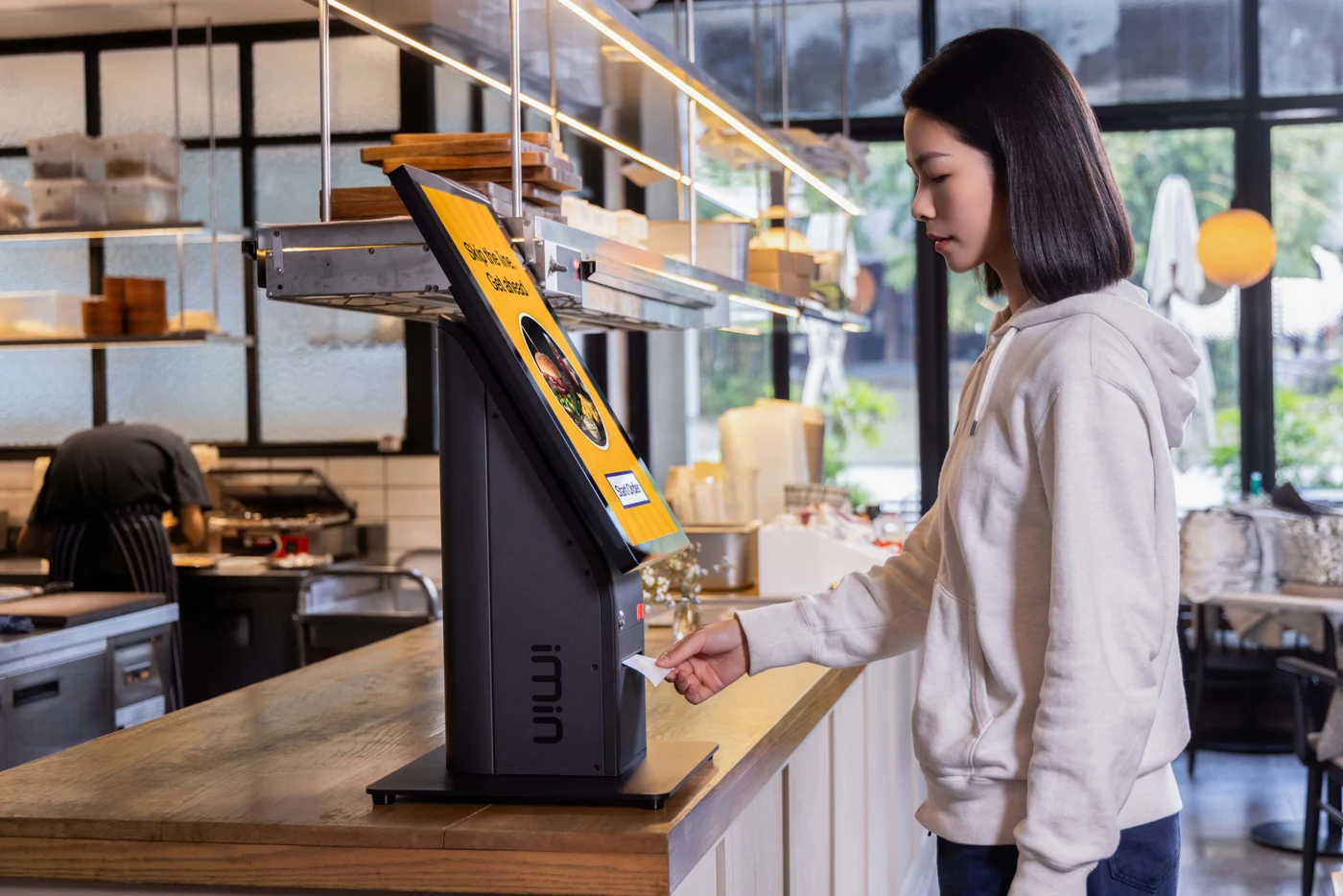
Put the touchscreen where customers need it
Self-ordering for restaurants and takeaways
Give guests a place to browse menu photos, customise meals and review orders. With compatible software and payment hardware, confirmed orders can go to the kitchen while staff focus on preparing food and handing over collections.
Retail checkout and collection
Set up a point for stock lookups, barcode-led checkout or click-and-collect. A compatible scanner can read product labels and collection codes so customers can complete the next step at the screen.
Reception and visitor check-in
Use a countertop or wall-mounted configuration for directions, registration or booking lookup. A larger screen can make prompts and choices easier to see in a busy lobby.
Choose the screen, then the stand
A 16-inch screen suits a service counter with limited space. A 21.5-inch or 27-inch screen gives customers more room to browse, compare choices or review an order.
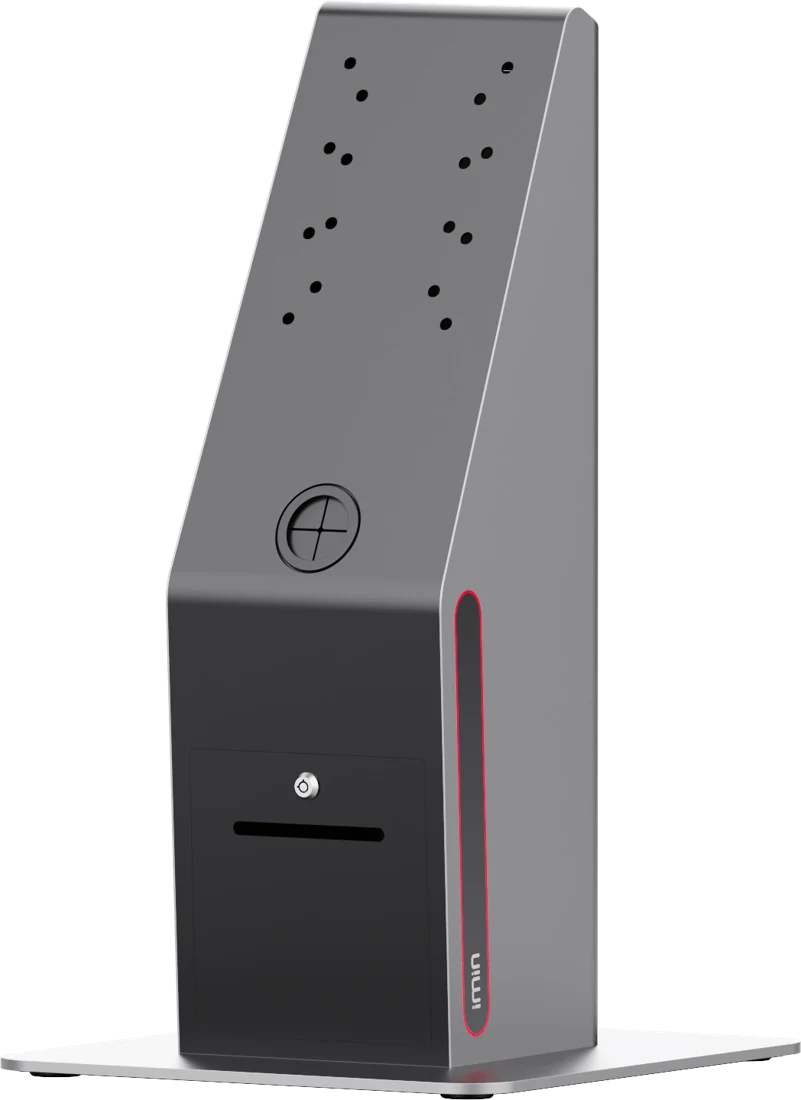
Table stand
Put the screen within reach at a counter, reception desk or collection point. iMin recommends the table stand for 16-inch, 21.5-inch and 27-inch screens.
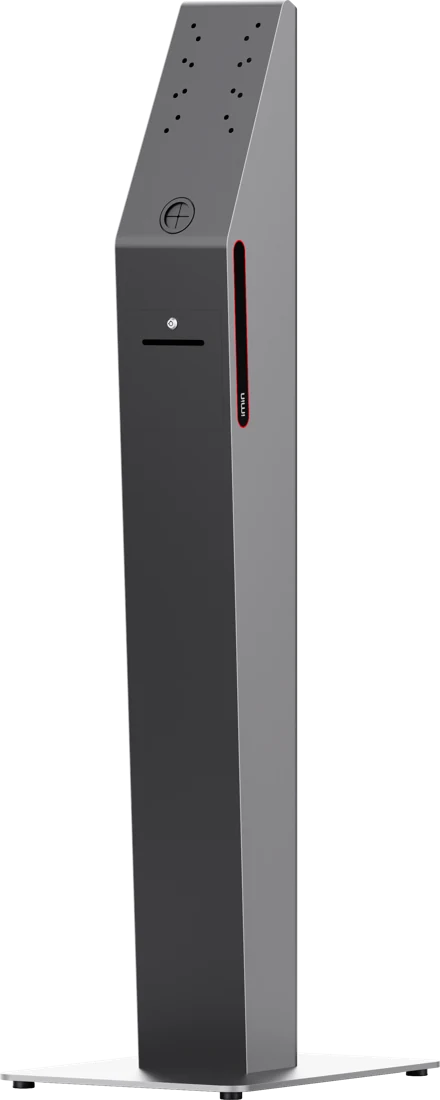
Floor stand
Create a dedicated self-service point in an entrance, queue or restaurant lobby. Choose a 21.5-inch or 27-inch screen from the sizes shown below.
Wall mounting is also available. Confirm the mount and display combination before ordering.
See the Crane 1 kiosk configuration
Add the modules your workflow needs
Scanning and status
Add a scanner for barcodes and QR codes, or a status light for a visible signal where your software supports it.
Payment and receipts
Specify a compatible payment setup and use the optional printer holder where customers need printed receipts. Confirm the payment app, provider and hardware together.
Customer-facing display
Add a separate display to show order details at a staffed counter. Select the screen and mounting arrangement to suit the checkout.
Crane 1 specifications
| Screen | Dimensions | Weight | Recommended stand |
|---|---|---|---|
| 16-inch | 375 × 246 × 36.5 mm | 1.6 kg | Table stand |
| 21.5-inch | 525 × 316.7 × 46.5 mm | 4.8 kg | Table or floor stand |
| 27-inch | 645.5 × 384 × 47.5 mm | 7.3 kg | Table or floor stand |
| Main display | Full HD (1920 × 1080) with 10-point capacitive touch |
|---|---|
| Operating system | Android 13 (64-bit) |
| Processor | Octa-core: 2 × Arm Cortex-A78 at 2.2 GHz and 6 × Cortex-A55 at 2.0 GHz |
| Memory and storage | 4 GB RAM + 64 GB storage or 8 GB RAM + 128 GB storage |
| Network | Dual-band Wi-Fi 6, Gigabit Ethernet and Bluetooth 5.3 |
| Speaker | 3 W mono |
| Ports | 6 × USB-A 2.0, 1 × USB-C, RJ11, RJ12, RJ45, DC input and 3.5 mm audio. Module pogo connectors vary by display size. |
| Power | 100–240 V adapter input, 24 V / 2.5 A output |
| Temperature | Operating: −10 to 50 °C. Storage: −20 to 60 °C. |
The manufacturer PDF also lists a 32-inch variant. Check availability before specifying that size.
Frequently asked questions
Can I use Crane 1 as a self-ordering kiosk?
Yes. Pair the chosen display and mount with compatible Android self-ordering software and any scanner, payment or printing hardware your workflow needs.
Are the stand and accessories included?
Confirm the exact bundle when ordering. iMin lists stands, modules and secondary displays as configuration options.
Can I take contactless payments?
Confirm that the chosen hardware, Android app and payment provider support your preferred contactless setup.
Can it run on wired Ethernet?
Yes. Crane 1 supports Gigabit Ethernet and dual-band Wi-Fi 6.