
HPRT direct thermal receipt printer
POS80H 5-in-1 Five ways to connect in one compact printer
Print receipts at up to 260 mm/s from a compact cube that fits neatly beside a till. This YCR 5-in-1 model combines USB, serial, Ethernet, Wi-Fi and Bluetooth for retail and hospitality setups.
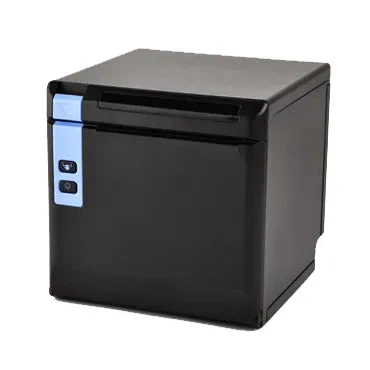
A closer look at the POS80H
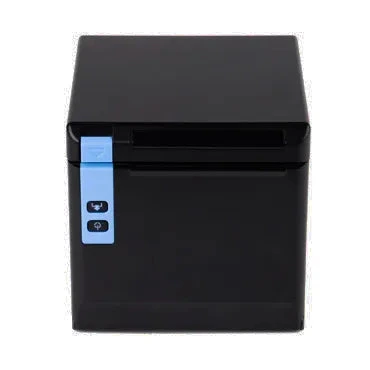
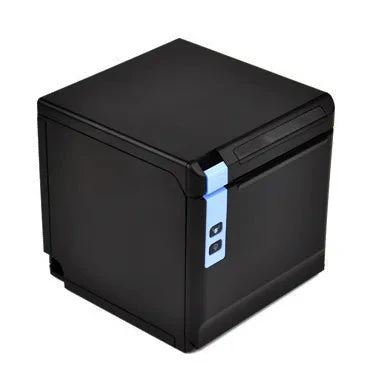
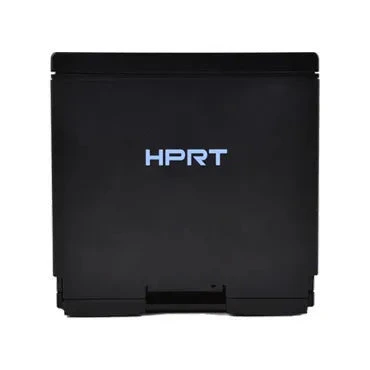
Set up the printer around your counter
Retail tills
Print itemised receipts, return barcodes and promotional messages from compatible POS software. Connect directly over USB or use Ethernet where the till and printer share a network.
Cafés and takeaways
Keep receipts and collection slips within reach at the service counter. Drop-in loading lets staff change rolls without threading paper through the printer.
Compact checkout stations
Use top or front paper loading to suit where the printer sits. Allow space to open the cover and check the exit path before installing it on a shelf.
Choose the connection your POS supports
USB, serial or Ethernet
Use USB for a printer beside the till, serial for compatible existing systems, or Ethernet for networked printing.
Wi-Fi or Bluetooth
Wi-Fi can help when a network cable is impractical. Bluetooth can suit a directly paired device. Confirm the printer and connection are supported by your POS app before ordering.
POS80H specifications
| YCR SKU | HP-POS80H5IN1 |
|---|---|
| Print method | Direct thermal, 203 dpi |
| Maximum print speed | 260 mm/s |
| Paper | 58 mm or 80 mm direct thermal receipt paper, up to 83 mm roll diameter |
| Paper loading and cutting | Top or front paper loading. Partial or full cut supported. |
| Interfaces on YCR 5-in-1 SKU | USB Type-B, serial, Ethernet, Wi-Fi and Bluetooth |
| Print commands | ESC/POS |
| Barcodes | Common 1D formats plus QR Code and PDF417 |
| Dimensions | 134.8 × 132 × 132 mm (L × W × H) |
| Weight | 1.37 kg without paper roll |
The datasheet covers the POS80H family. The five interfaces listed above are for YCR SKU HP-POS80H5IN1.
Frequently asked questions
Does this model include Wi-Fi and Bluetooth?
Yes, alongside USB, serial and Ethernet.
Does it need ink or ribbon?
It uses direct thermal receipt paper. No ink cartridge or ribbon is required.
What size paper roll does it take?
It supports 58 mm and 80 mm thermal rolls up to 83 mm in diameter. Match the paper width to your POS receipt layout.
Can it print QR codes?
Yes. The printer supports QR Code, PDF417 and common 1D barcodes. Your POS software determines which codes appear on receipts.