
Android kitchen display hardware
iMin Penguin 1 Pro Series
Give kitchen teams a clear view of incoming orders with a 21.5-inch Pro or 15.6-inch Pro mini Full HD touchscreen. PoE++ carries power and wired data over one Ethernet cable where supported.
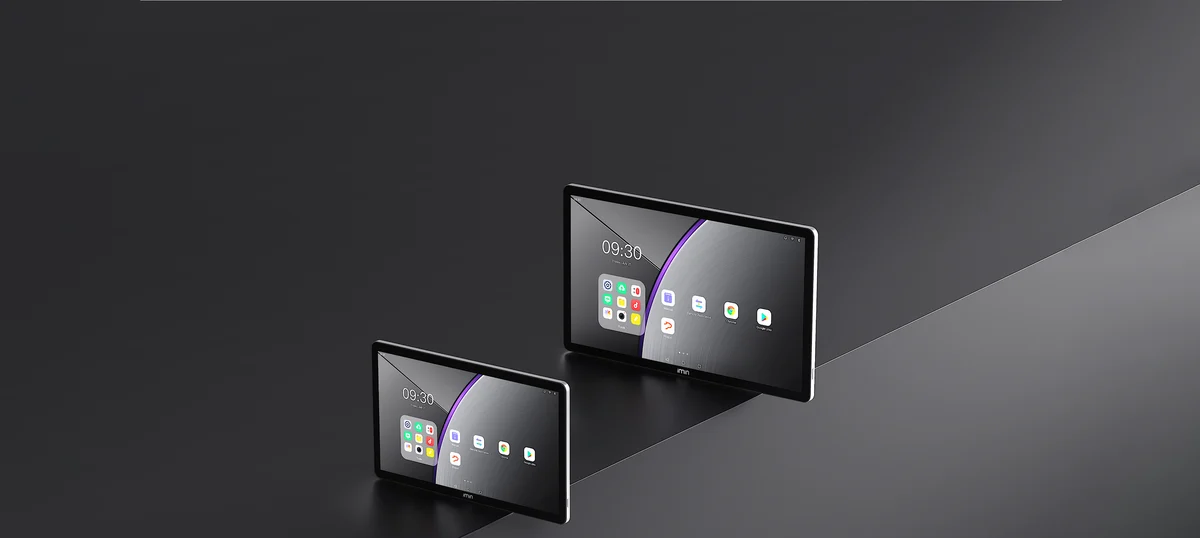
Choose a screen for each station
Penguin 1 Pro
21.5-inch Full HD
Use the larger screen at the pass or a busy prep station where staff need to read multiple tickets at a glance. Check mounting space and sightlines from the working position.
Penguin 1 Pro mini
15.6-inch Full HD
Use the smaller screen where wall or counter space is limited, such as a drinks station, dessert line or collection point.
One hardware platform
Both Pro models use Android 16, 8 GB RAM, 128 GB storage and PoE++. Confirm your kitchen display software supports the hardware and screen layout you plan to deploy.
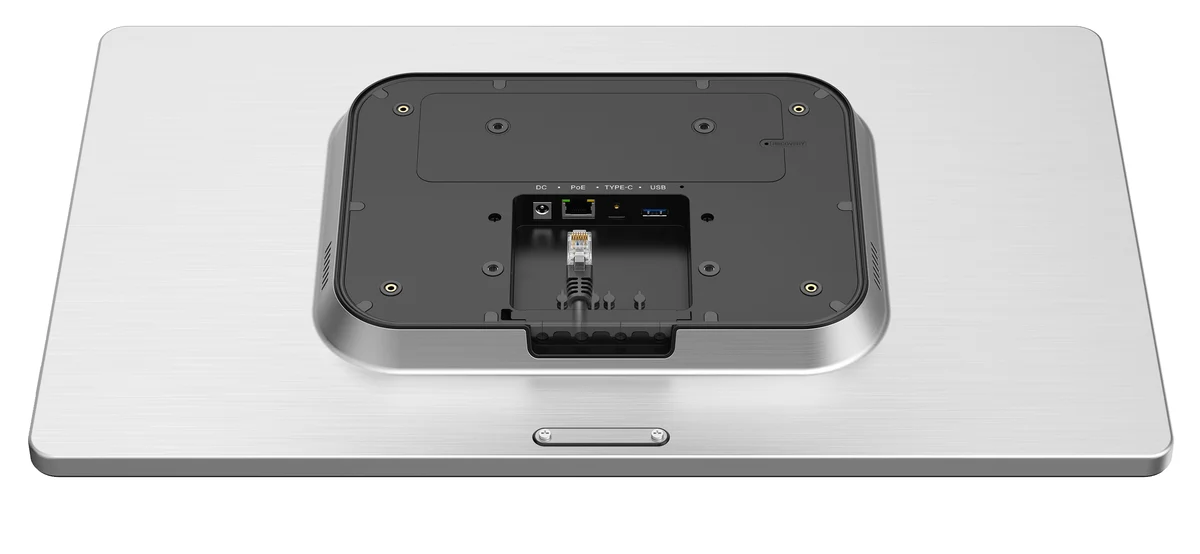
Power and data over one cable
Use compatible PoE++ infrastructure. Connect the screen to an IEEE 802.3bt source with enough power budget for your devices. Plan cable routes and switch capacity before installation.
Choose wired or wireless networking. Gigabit Ethernet carries data over the PoE connection. Wi-Fi 6E is available where your wireless network and site configuration support it. The display still needs power when using Wi-Fi.
Plan restart behaviour. iMin lists automatic start-up when power is connected. Test that your order display app resumes as intended after power is restored.
Install it where staff work
The stainless-steel enclosure is designed for kitchen use, with IP65 protection specified without optional peripherals. Check the mounting surface, ventilation and access to cables before installing the screen.
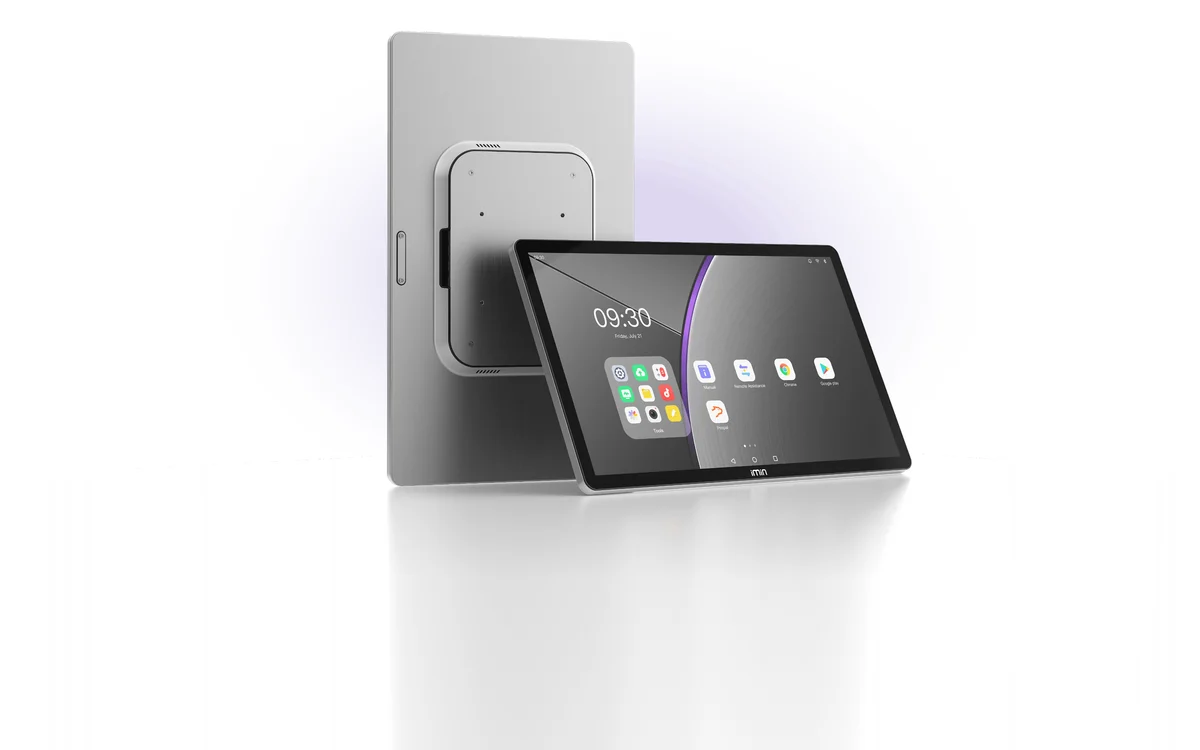
iMin lists a VESA mount and an optional scanner. Confirm the required hardware for your station and check how your POS or KDS software routes and clears tickets.
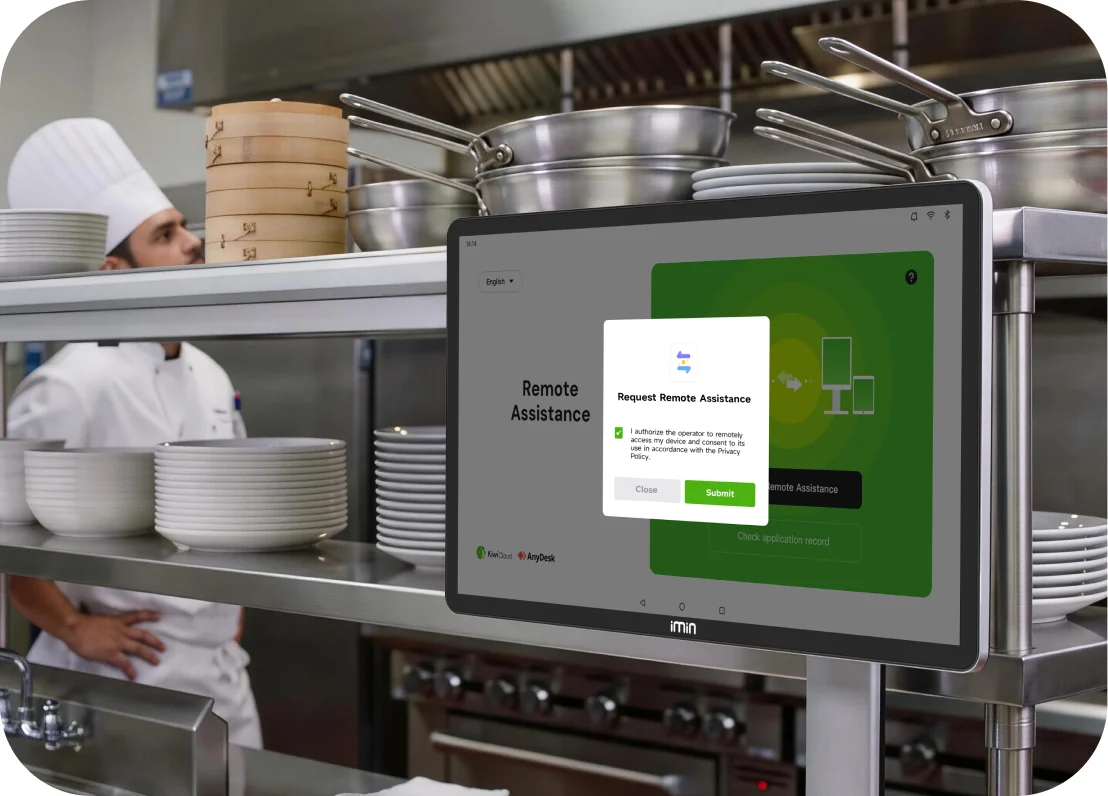
Manage multiple screens with KiwiCloud
Group screens by site, deploy approved apps and use kiosk mode to keep the kitchen display on the intended application. KiwiCloud also offers remote monitoring and diagnostics. Confirm enrolment, licensing and network access before rollout.
Watch iMin’s Penguin 1 Series video
Technical specifications
| Models | Penguin 1 Pro (21.5-inch); Penguin 1 Pro mini (15.6-inch) |
|---|---|
| Display | 1920 × 1080 Full HD, multi-point capacitive touch |
| Operating system | Android 16, 64-bit, with Google Mobile Services |
| Processor | Octa-core: 1 × Prime at 2.9 GHz, 3 × Gold at 2.7 GHz, 4 × Silver at 2.0 GHz |
| Memory and storage | 8 GB RAM and 128 GB storage |
| Network | Gigabit Ethernet, Wi-Fi 6E (2.4, 5 and 6 GHz), Bluetooth 6.0 |
| Power over Ethernet | PoE++ (IEEE 802.3bt), up to 60 W |
| Ports | 1 × USB 3.0 Type-A, 1 × USB 2.0 Type-C (OTG and debug), 1 × RJ45 |
| Audio | 2 × 3 W speakers |
| Protection | IP65 to IEC 60529, without optional peripherals |
| Operating temperature | Device: −10 to 50 °C. Adapter: −10 to 45 °C. |
| Pro dimensions and weight | 510.5 × 302.7 × 34.3 mm, 4.56 kg |
| Pro mini dimensions and weight | 371.7 × 224.7 × 29.1 mm, 2 kg |
| Optional accessories | VESA mount and scanner for 1D barcodes and 2D QR codes |
Frequently asked questions
Does the display come with kitchen order software?
Confirm the KDS application and licence with your POS provider. Check how the app receives, displays and clears orders from your till.
Do both Pro models support PoE++?
Yes. iMin lists PoE++ for both Pro sizes. Check that the switch or injector supports IEEE 802.3bt. iMin lists the DC adapter and power cord as excluded on PoE versions.
Does the IP65 rating include accessories?
iMin specifies IP65 without optional peripherals. Check the protection of the complete installation if you add a scanner or other accessory.