
iMin self-service kiosk
Heron Mini 1 Make room for self-service
Give customers a place to order, scan or check in without dedicating a whole counter to a kiosk. The Heron Mini 1 puts a 15.6-inch Full HD touchscreen into a compact countertop or wall-mounted format, with scanning, payment and receipt options to suit how you serve.
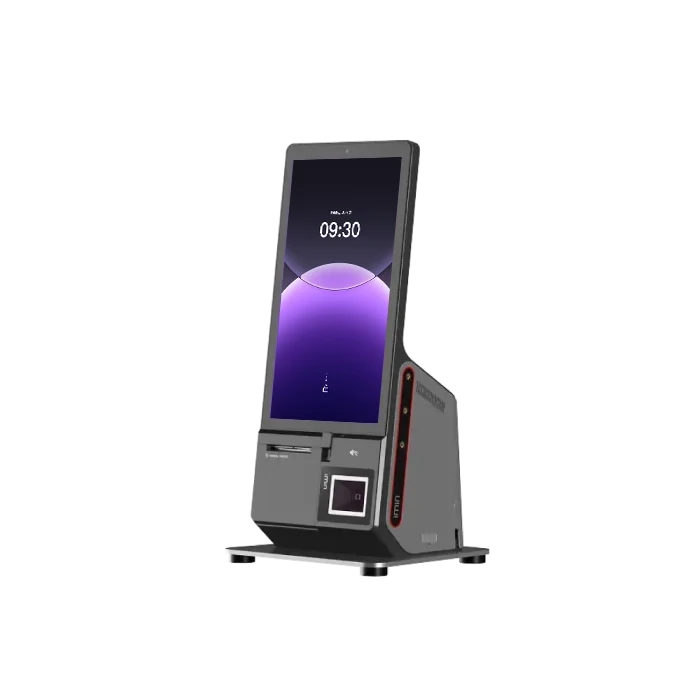
Give customers another way to order
Set up self-service alongside your staffed till. Customers can make selections and check the details at their own pace, while staff focus on preparing orders, handing over collections and helping customers.
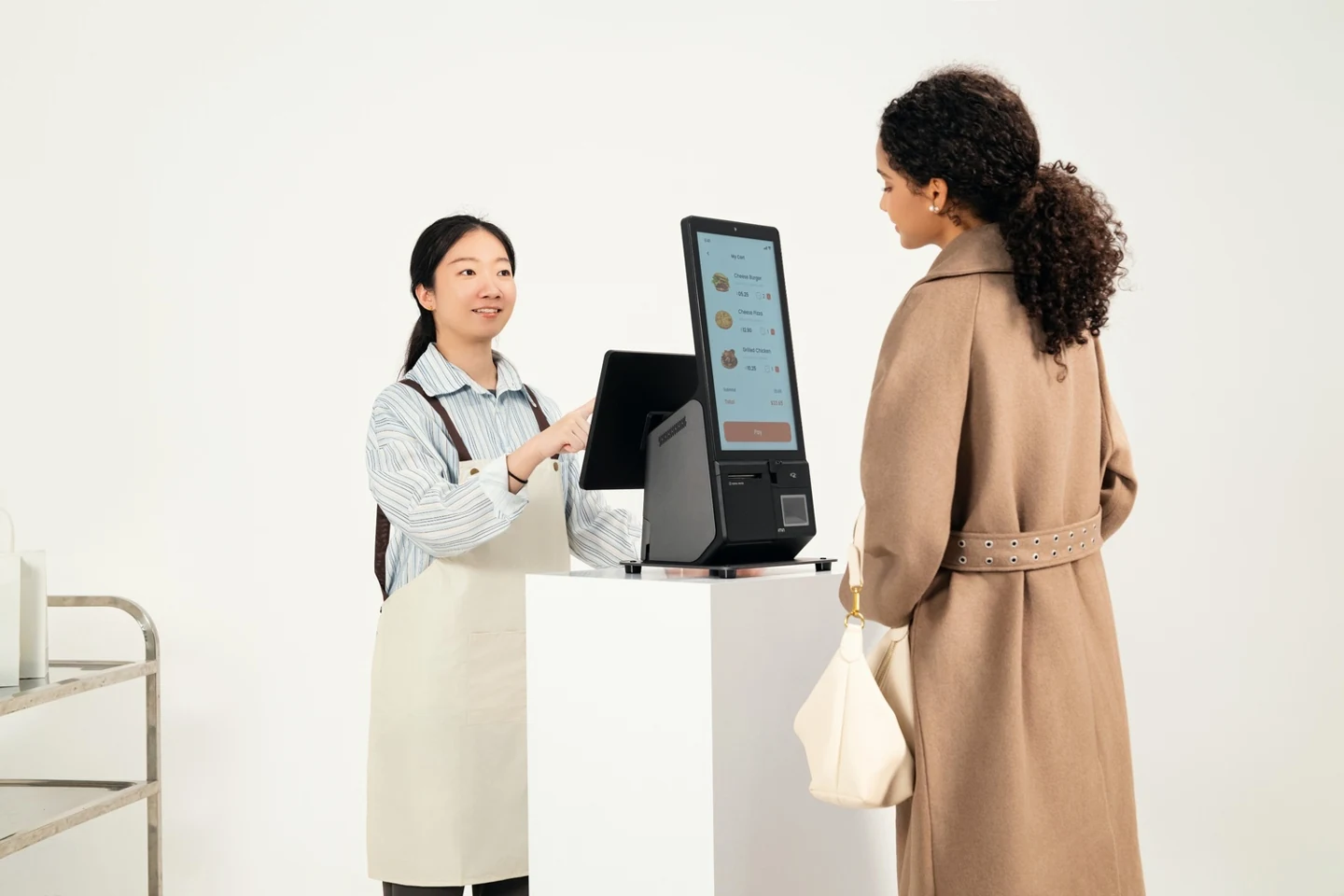
Cafés, bakeries and takeaways
Make it easy to browse menus, customise orders and add extras. With compatible ordering software, send confirmed orders to the kitchen and keep the counter clear for pickups.
Retail, collection and check-in
Create a dedicated place for click-and-collect, loyalty scanning or visitor check-in. Pair your app with the right scanner so customers can present a barcode or QR code from their phone.
From first tap to receipt
Scan codes and products
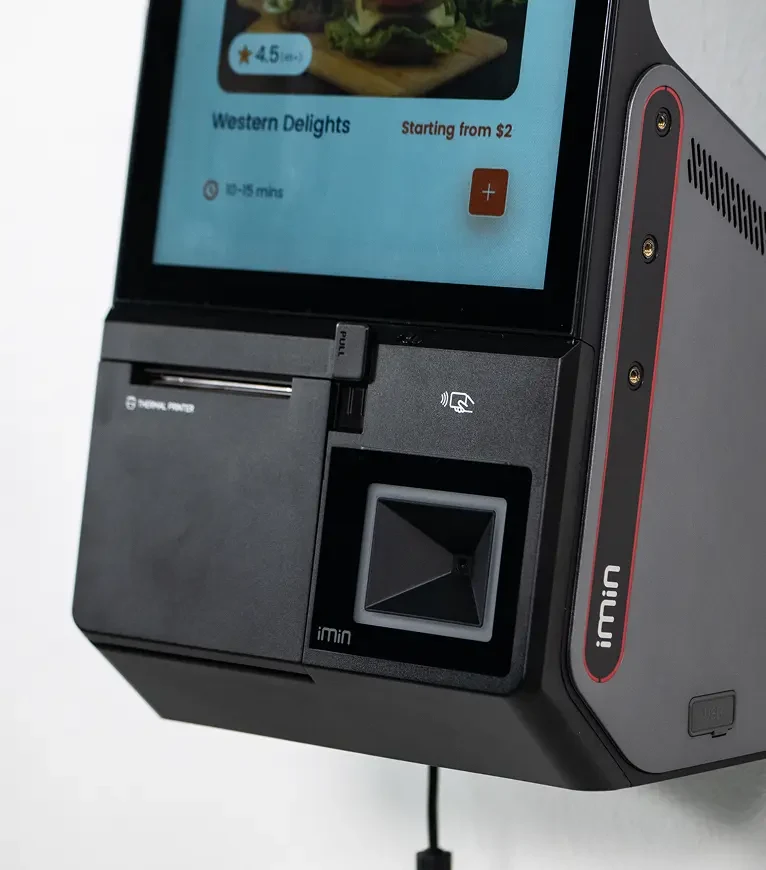
Use the standard scanner for barcode and QR workflows, or choose the retail scanner for faster capture and a wider published read range. Test your own labels and phone-based codes with your software before rollout.
Choose how customers pay
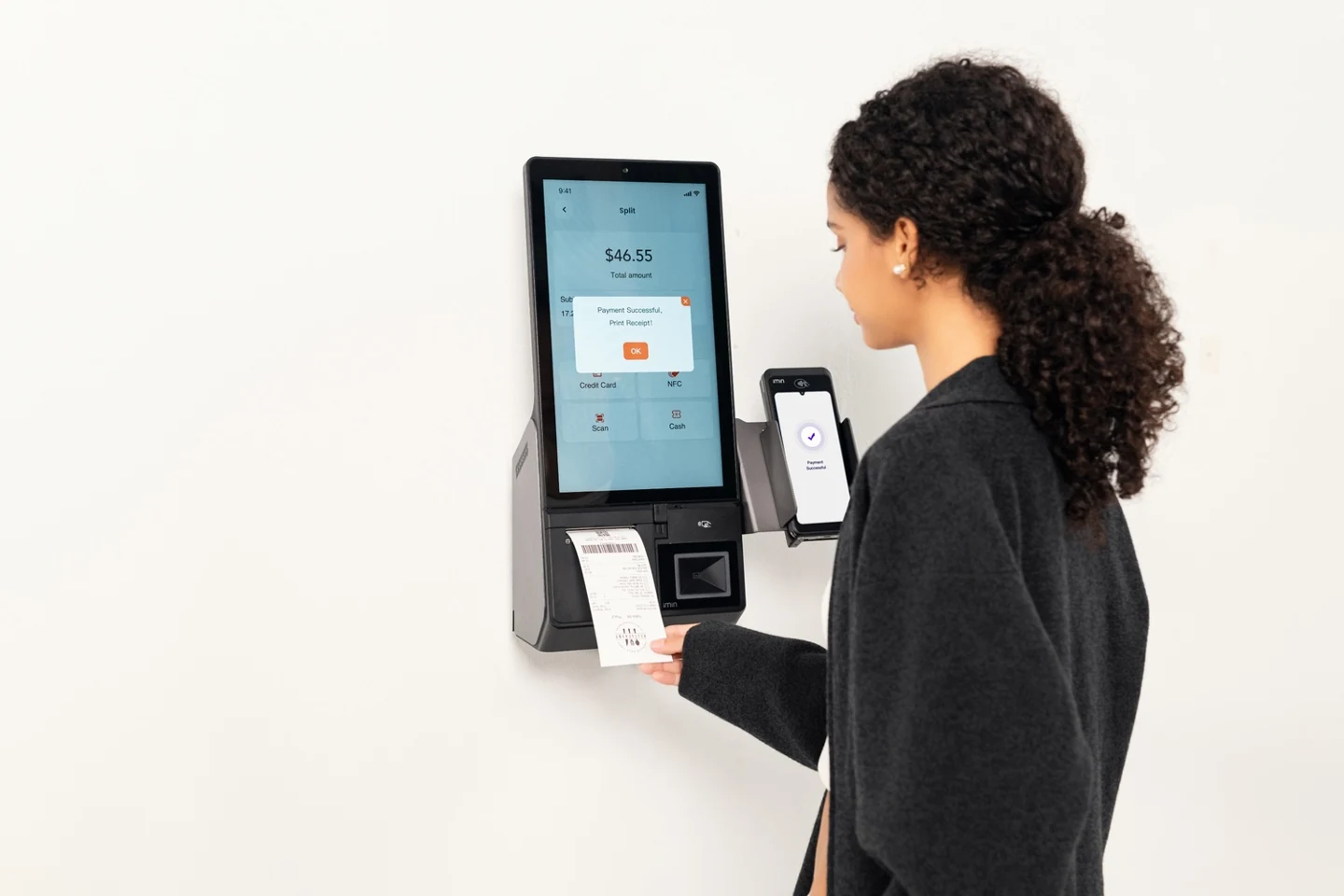
Pair the kiosk with a compatible EMV payment terminal, NFC SoftPOS or QR payment setup. The payment method depends on the hardware fitted, the app and the payment provider.
Print at the point of service
The 80 mm printer option uses an automatic cutter and prints at up to 250 mm/s. Print receipts, order numbers or collection slips where supported by your software.
Fit self-service into the space you have
Use the counter for quick customer access, or take the kiosk off the counter entirely. Choose a location that leaves space for customers to approach and collect a receipt.
Countertop stand
Set up alongside your till, on a pickup counter or at a reception desk.
287 × 256 × 561 mmWall-mounted
Keep counter space free with a compatible 100 × 100 mm VESA mount.
233 × 199 × 560 mmHeron Mini 1 specifications
Confirm the mount, printer, scanner and payment accessories for your configuration.
| Display | 15.6-inch Full HD (1920 × 1080), 250 nits, 1200:1 contrast, multi-touch capacitive panel |
|---|---|
| Operating system | Android 15, 64-bit, with Google Mobile Services |
| Processor | Octa-core: 2 × Cortex-A76 at 2.0 GHz and 6 × Cortex-A55 at 1.8 GHz, 3 TOPS NPU |
| Memory and storage | 6 GB RAM and 64 GB storage, TF card support up to 1 TB |
| Connectivity | Dual-band Wi-Fi 6, Gigabit Ethernet, Bluetooth 5.4, NFC with compatible hardware |
| Receipt printer | 80 mm paper width and roll diameter, up to 250 mm/s, automatic cutter |
| Barcode scanner | 1D barcodes and 2D QR codes. Standard scanner: 0.3 MP at 30 fps. Retail scanner: 1.3 MP at 60 fps. |
| Mounting | Countertop stand: 287 × 256 × 561 mm. Wall-mounted: 233 × 199 × 560 mm. VESA MIS-D: 100 × 100 mm. |
| Camera and audio | 2 MP front camera and dual 3 W speakers |
| Ports | 1 × USB-A 2.0, 4 × USB-A 3.0, 1 × USB-C 2.0, 3.5 mm audio, DC input, HDMI, RJ11, RJ12, RJ45, 2 × 6-pin pogo, 2 × DB9 |
| Power | Adapter input 100–240 V AC, output 24 V / 2.5 A |
| Temperature | Operating 0 to 50 °C. Storage −20 to 60 °C. |
Frequently asked questions
What is the difference between the Heron Mini 1 and Heron 1?
The Mini has a 15.6-inch display and is designed for countertop or wall mounting. The Heron 1 has a 23.8-inch display and also offers a floor stand.
Can I use my existing ordering or POS software?
Check that your software provider supports Android 15 on the Heron Mini 1 and can work with your chosen scanner, printer and payment hardware.
Can it take contactless payments?
Contactless payments require a compatible terminal or NFC SoftPOS setup and support from your payment provider.
Can it connect to our wired network?
Yes. The kiosk supports Gigabit Ethernet and dual-band Wi-Fi 6.