
iMin Android tablet POS
Falcon 2 Max Take the till to the customer
Take orders at the table, help shoppers in the aisle and bring the same tablet back to the counter when you need a fixed till. The Falcon 2 Max combines a 12.6-inch high-resolution touchscreen with optional docks, receipt printing and barcode scanning.
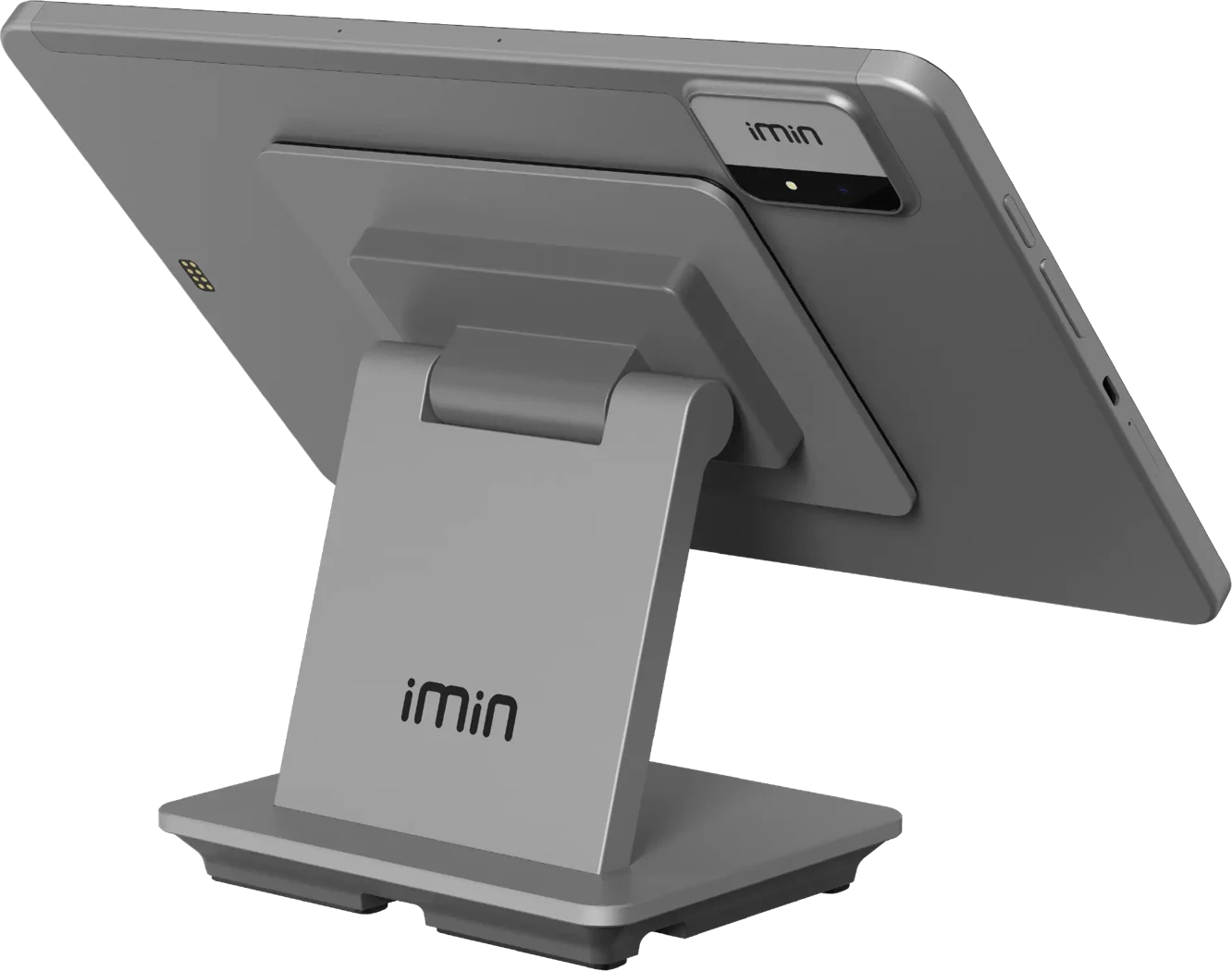
Serve customers wherever they are
Tableside ordering
Give staff room to review menu options and enter modifiers with guests. With a compatible POS app, confirmed orders can go straight to the kitchen while staff stay on the floor.
Retail stock and assisted selling
Look up prices and stock in the aisle. Choose the industrial scanner version if staff regularly need to capture product labels or QR codes in supported apps.
Counter checkout
Return the tablet to an optional dock for a fixed checkout. Choose a printer dock if staff need to issue receipts at the counter.

Choose the setup for your shift
Basic or folding dock
Set up a fixed tablet station with charging and USB connections for compatible peripherals. Choose the folding version where you need a dock you can pack away.
Thermal printer dock
Choose a standard or wireless printer dock with an automatic cutter. Both accept 58 mm or 80 mm paper and print at up to 250 mm/s.
Mobile setup
Fit an optional protective case for carrying and specify a 4G model if staff need a data connection away from site Wi-Fi.
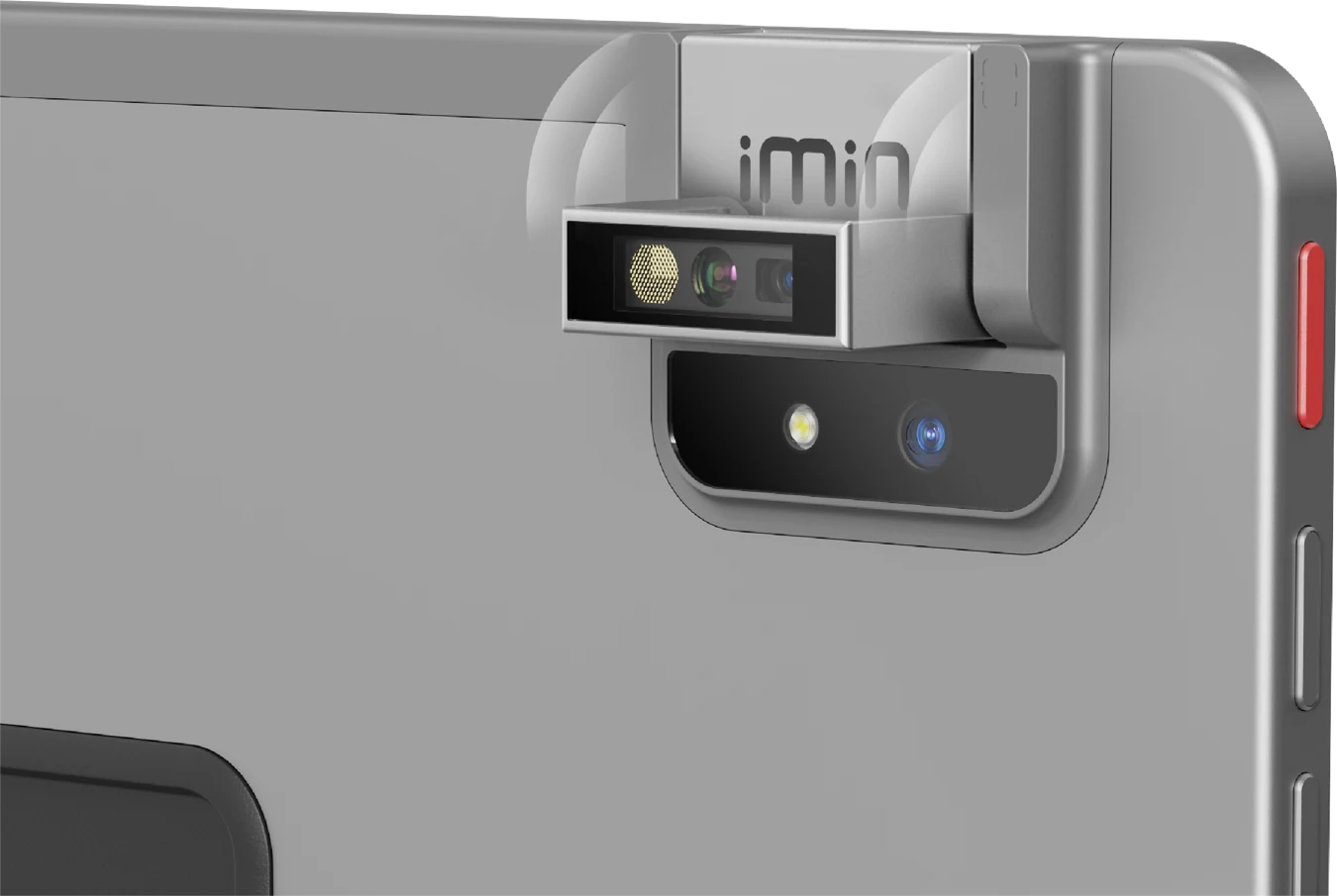
Rotating scanner option
Angle the scanner towards labels and codes with up to 90 degrees of rotation. Check app compatibility and order the scanner-equipped version if this is part of your workflow.
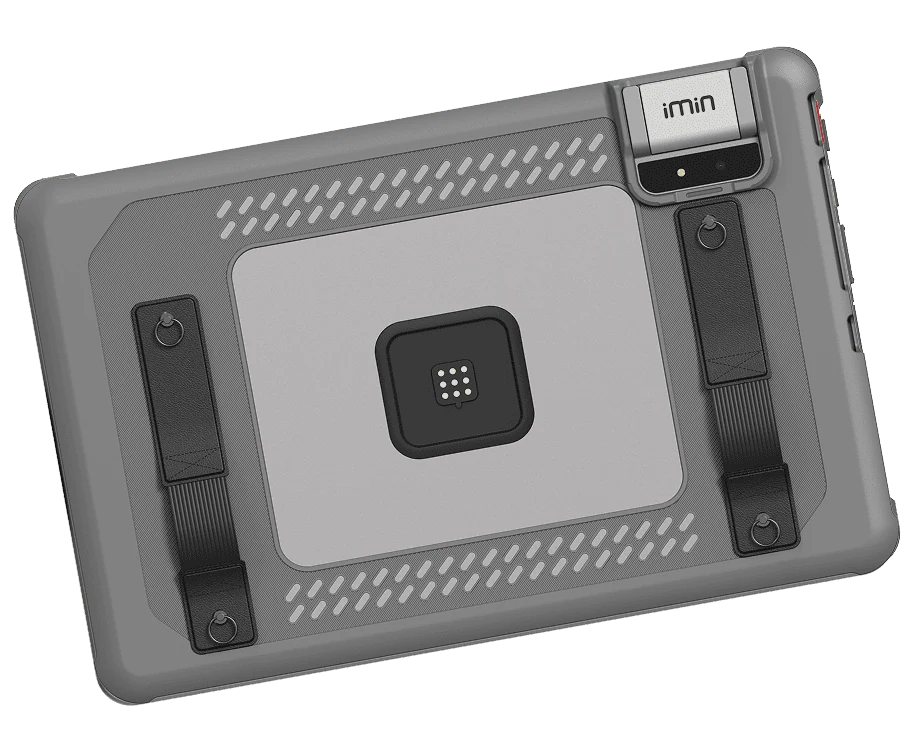
Protective case option
Add the separately sold case if teams regularly carry the tablet between the counter, stockroom and shop floor.
Falcon 2 Max specifications
| Display | 12.6-inch IPS, 2560 × 1600, multi-point capacitive touch |
|---|---|
| Operating system | Android 13 (64-bit), Google Mobile Services |
| Processor | Octa-core: 2 × Arm Cortex-A76 at 2.2 GHz and 6 × Cortex-A55 at 2.0 GHz |
| Memory | 4 GB RAM / 64 GB storage or 8 GB RAM / 128 GB storage |
| Connectivity | Dual-band Wi-Fi 5, Bluetooth 5.2, GPS and NFC. 4G LTE and SIM/eSIM configuration depend on model. |
| Battery and charging | 10,000 mAh smart battery, USB-C Power Delivery up to 20 W |
| Cameras and speakers | 2 MP front camera, 13 MP rear camera, two 1 W speakers |
| Scanner | Optional rotating industrial scanner on the scanner version. Supports 1D barcodes and 2D codes including QR. |
| Tablet connections | USB-C with OTG, TF card slot (up to 1 TB), SIM slots and pogo-pin connectors |
| Optional printer docks | Standard and wireless 80 mm thermal printer docks. Support 58 mm or 80 mm paper, automatic cutter and up to 250 mm/s. Dock ports include 2 × USB-A, RJ12 and RJ45. |
| Tablet dimensions and weight | 292.8 × 191.55 × 9.5 mm, 560 g |
| Temperature | Operating: −10 to 50 °C. Storage: −20 to 60 °C. |
Frequently asked questions
Is a printer built into the tablet?
Receipt printing is available through a separately sold printer dock or a compatible external printer supported by your POS app.
Does every Falcon 2 Max have the rotating scanner?
The industrial barcode scanner is fitted to the scanner version. Check the exact model before ordering.
Can the tablet take contactless payments?
Confirm that your POS app, payment provider and Falcon 2 Max configuration support the payment method you want to use. NFC is listed in the hardware specification.
Can I use it away from Wi-Fi?
Choose a cellular model and confirm SIM or eSIM support with your network provider.