
Modular checkout mounting
POSPOLE mounting solutions
Make room to serve customers. Mount touchscreens, card terminals, scanners and printers where staff and shoppers can reach them, using a configuration built around your equipment and counter.
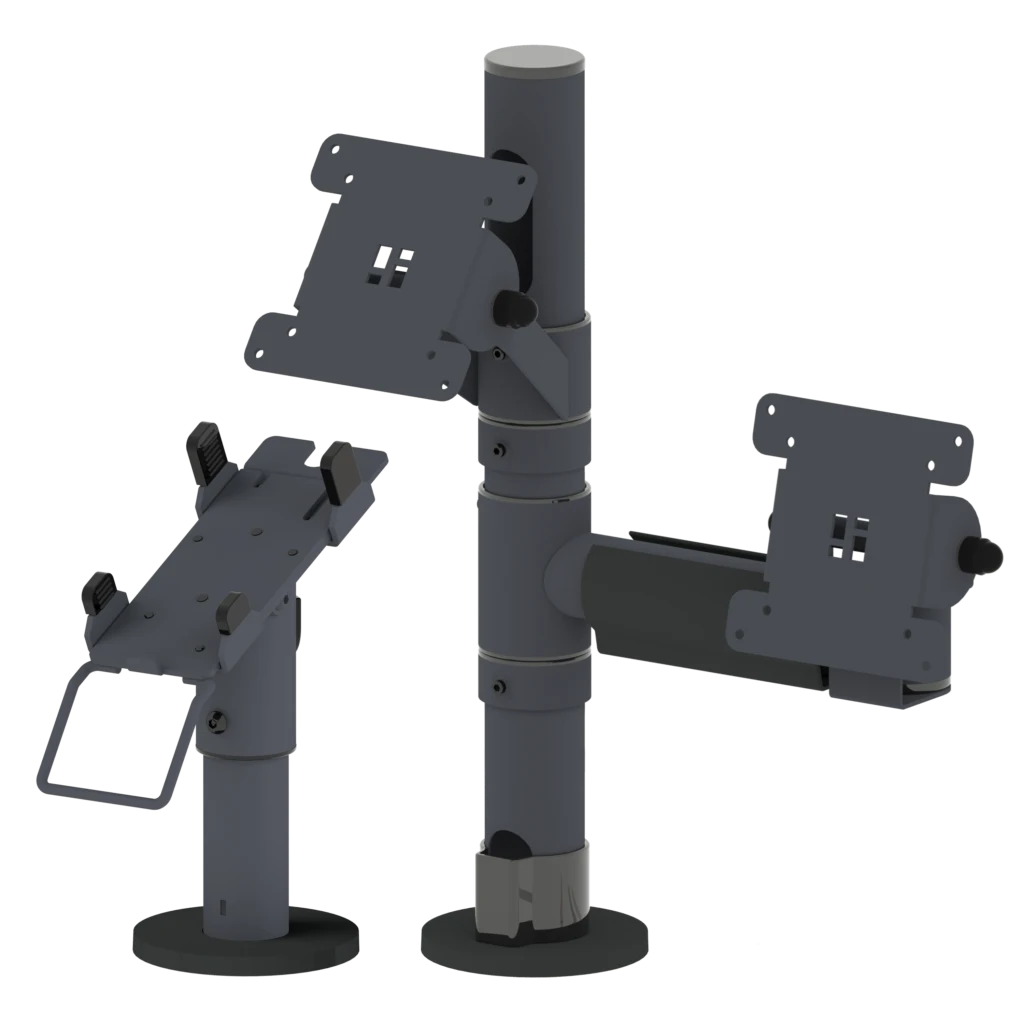
See where POSPOLE fits
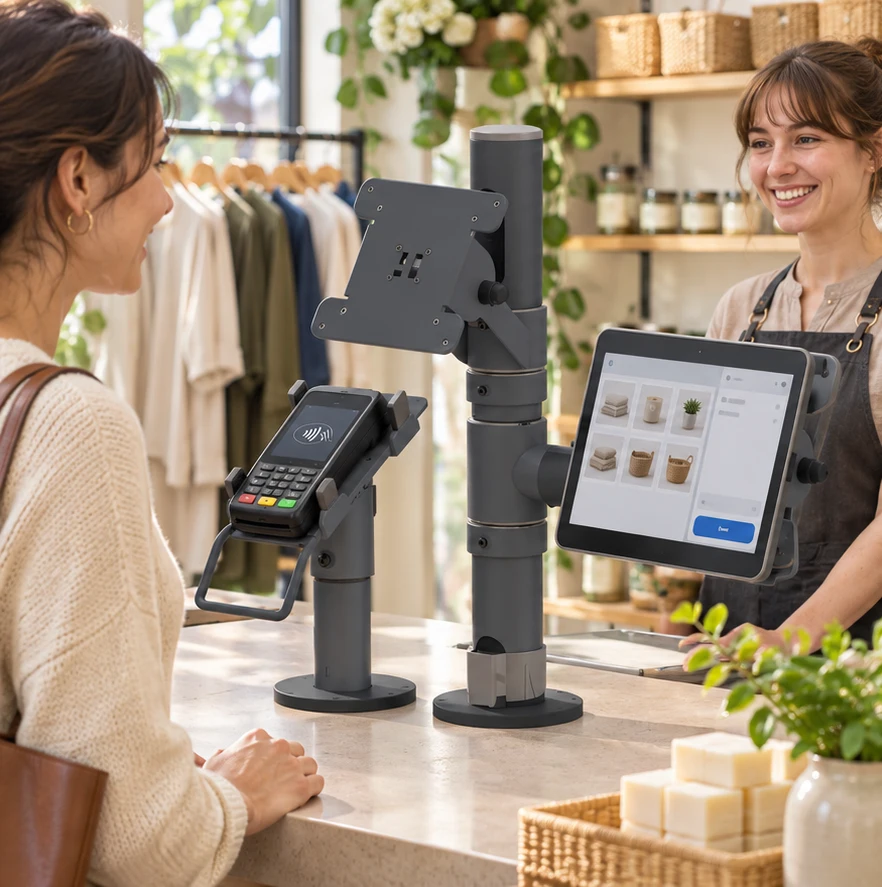
Retail checkout
Raise the operator screen and put the card reader on the customer side, leaving more counter space for scanning and packing.
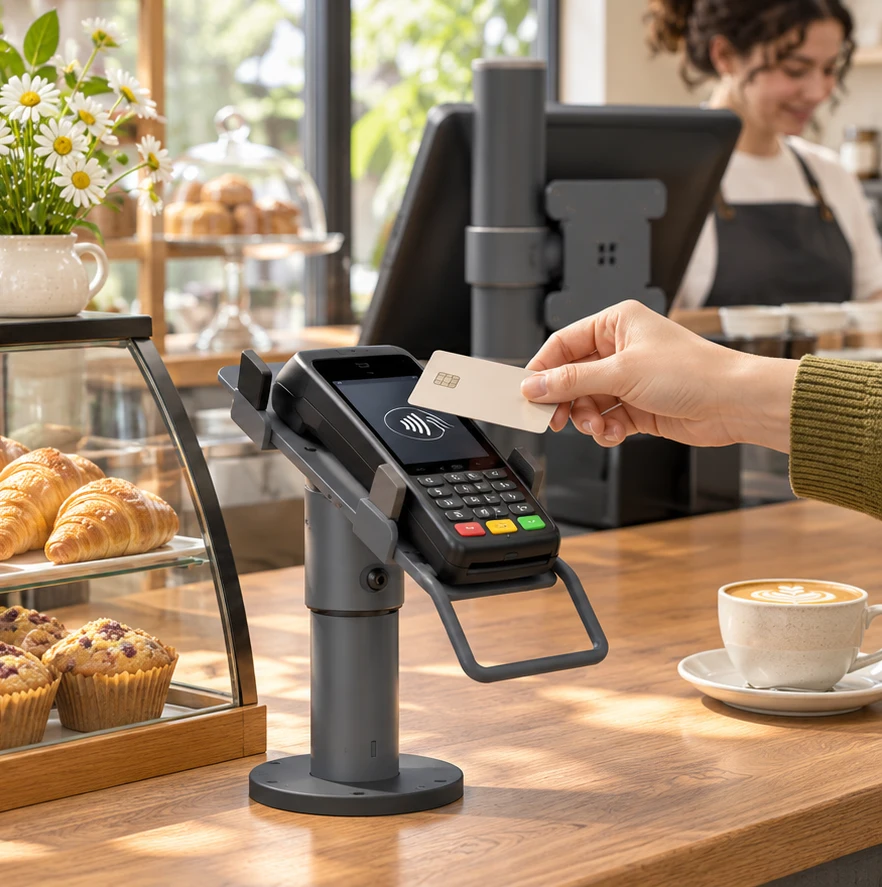
Cafés and hospitality
Give guests a clear place to tap while staff keep the till and collection area within reach.
Illustrative scenes based on POSPOLE hardware. Equipment and mounting components vary by configuration.
Build the mount around your equipment
Start with a single payment terminal stand or specify a multi-device setup. Check every bracket against the equipment it will hold.
| Base poles | Start with the pole height, mounting surface and access underneath the counter. |
|---|---|
| Display mounts | Match the plate to the screen’s VESA pattern and the bracket’s supported weight. |
| Payment terminal holders | Select a plate or cradle for the exact card terminal model and position it within customer reach. |
| Printer and scanner holders | Check equipment dimensions, cable clearance and access for roll changes or scanner removal. |
| Arms and adapters | Use compatible arms and collars to place equipment at the height and angle the checkout needs. |
| Cable routing | Choose a route that keeps cables clear of drawers, controls and moving arms. |
Plan your counter layout
List your hardware
Note the make and model of each touchscreen, card terminal, scanner and printer. For screens, check the VESA pattern and weight.
Measure the counter
Mark where staff work and customers pay. Allow space for the cash drawer to open, the printer lid to lift and cables to move with any adjustable arm.
Confirm how it fixes down
Check the surface material, cable entry and underside access before ordering. Confirm fixings and the parts included with your chosen mount.
Questions before you order
Will a payment bracket fit my card terminal?
Match the holder to the exact make and model, including any charging base or cable exits.
Can I mount more than one device?
Yes, compatible poles, collars and arms can support multi-device layouts. Check the combined load, clearance and mounting surface for the chosen configuration.
Are the touchscreen and card reader included?
Check the listing for what comes with the mount. The hardware shown in the scenes illustrates how the mounting system can be used.
Can I hide the cables?
Depending on the pole and accessories, cables can be routed through the assembly or secured alongside it. Check connector clearance and leave enough slack for adjustable parts.